The inbox triage
that never falls behind.
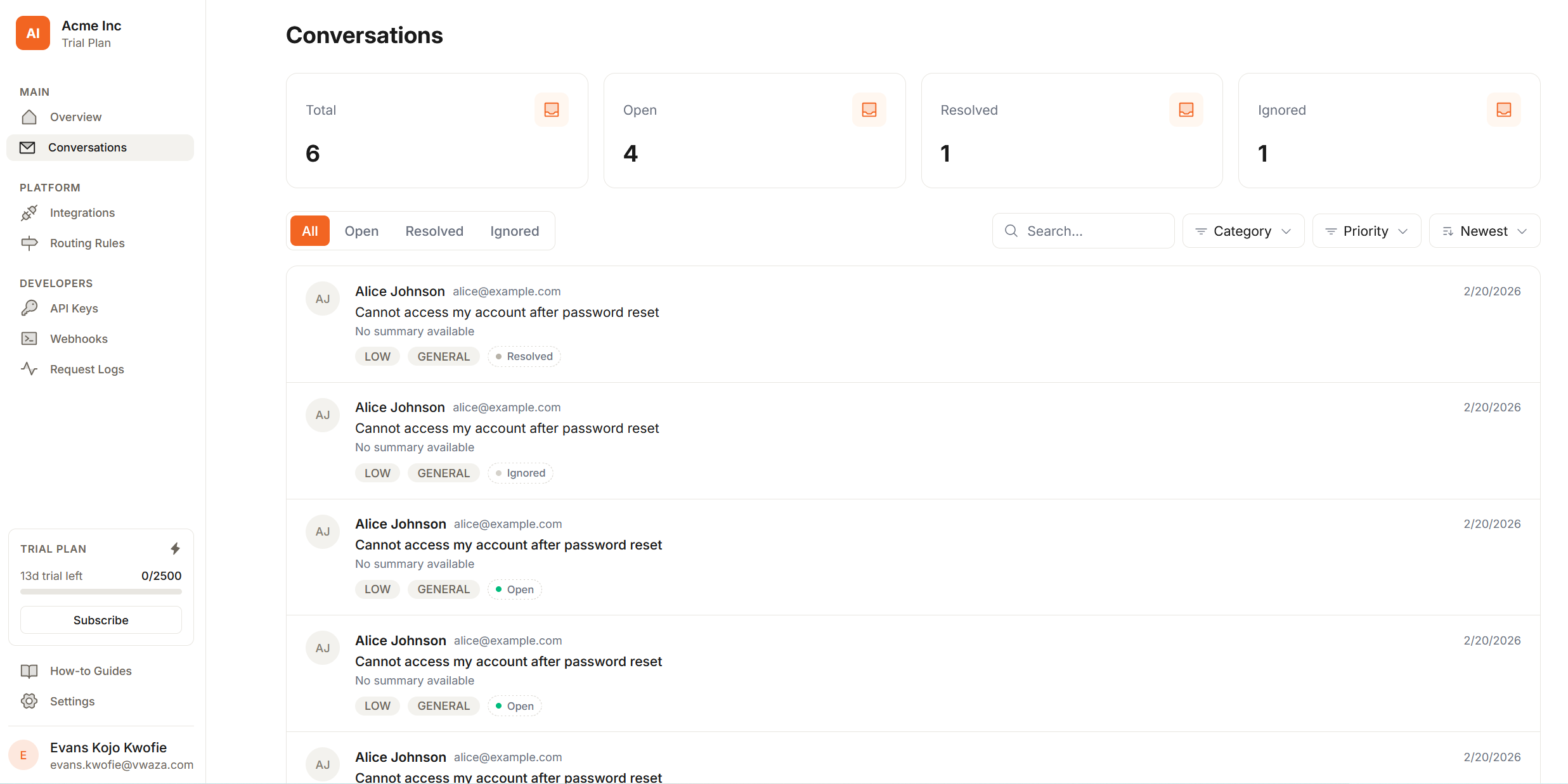
- AI reads and classifies every customer email automatically
- routes it to the right Slack or Discord channel instantly
- and keeps full conversation history for your team
Used by support teams at
How it works
Email in. Action out.
Set up once and MailBridge handles the rest. Every email gets read, classified, and sent to exactly the right tool before anyone on your team has to look at it.
01
Forward your inbox
Add a forwarding rule from your support address to your unique MailBridge address. No code required, takes about 30 seconds.
02
AI reads and classifies
Our AI reads every email and automatically extracts the intent, category, urgency, and sentiment before anyone sees it.
03
Routed to the right tool
Each email lands in the right place based on rules you set once. A Slack channel, a Discord thread, a Linear issue, a ClickUp task.
04
Your team responds
Discuss in thread, reply to the customer, and mark it resolved. No inbox switching, no lost context, no dropped tickets.
Features
Everything your support team needs.
Built for small-to-mid SaaS teams that want structured email support without enterprise helpdesk software.
AI triage, zero config
Our AI reads every email and extracts category, urgency, and sentiment automatically.
Slack & Discord native
Emails become rich messages in the exact channels your team already uses — with full context attached.
Smart routing rules
Set default channels per category. Override by domain, subject keyword, or AI label.
Full conversation history
Every thread stored with customer details, AI classifications, and reply history. Fully searchable.
Webhooks & REST API
Fire real-time events to your own systems. Build on MailBridge with a clean developer API.
PII-safe AI pipeline
Financial data and sensitive PII are stripped before the LLM sees them. Prompt injection sanitized.
Shared team inbox
Everyone sees the same conversations, routing context, and resolution status. No forwarding required.
Volume limits enforced
Hard limits at the queue level. Warned at 80%, blocked at 100%. No surprise overages.
AI Triage
AI reads every email. Your team just responds.
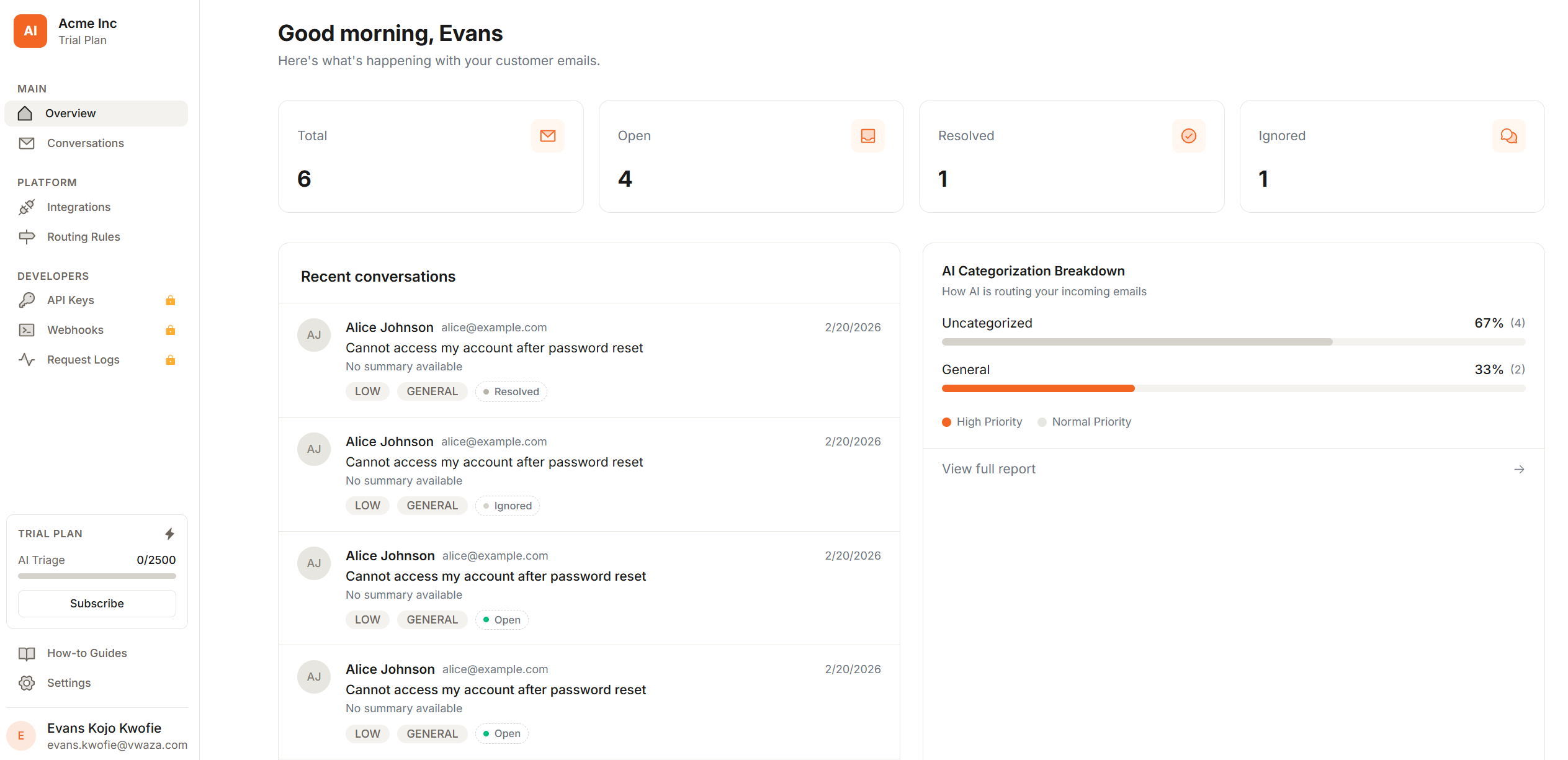
MailBridge uses frontier AI models to classify every incoming email. No rules to write, no training required.
Intent extraction
Understands what the customer actually wants — not just keywords. Bug report vs. refund request vs. feature ask.
Category & urgency
Classifies into Bug, Billing, Feature Request, General, or Spam — and scores urgency from LOW to BLOCKER.
Sentiment detection
Knows when a customer is frustrated before your team does. Negative sentiment emails get flagged for fast response.
Routing
The right email, in the right channel, every time.
Define routing rules once. MailBridge applies them to every email automatically — with a sensible default fallback.
Category-based rules
Send Bug reports to #bugs, Billing questions to #billing, Feature requests to #product. Simple, effective.
Default channel fallback
Emails that don't match any rule go to your configured default channel. Nothing gets lost.
Urgent notifications
Toggle @channel pings for urgent emails per rule. BLOCKER emails never sit unread.
Routing Rules
Status
AI Category
Channel
Actions
Emails without a matching rule are sent to your default channel #support. Change this in integration settings.
Built for modern SaaS teams, not enterprise committees.
We built MailBridge because shared inboxes are chaos and helpdesk software is overkill. There should be something in between — and there is.
Feature
MailBridge
Shared inbox
Helpdesk software
Setup time
Days of email forwarding rules
Weeks of onboarding
AI triage
None
Add-on, expensive
Slack / Discord
Manual copy-paste
Zapier workaround
Routing rules
Manual labels
Complex rule editor
Webhooks & API
None
Yes, but complex
Price
Free but chaotic
$50–300/month/agent
Target team size
Any (poorly)
50+ (overkill for small teams)
Pricing that doesn't punish growth.
No permanent free tier — just an honest 10-day trial with full Professional access. No credit card required. Pay for what your team actually uses.
Starter
For small teams.
What's included
- 1,000 emails / month
- 1 Slack or Discord workspace
- AI triage & classification
- AI-drafted reply suggestions
- Sentiment & priority scoring
- Reply to customers from dashboard
- Routing rules
- Email support
Growth
For teams scaling up.
What's included
- 1,500 emails / month
- Up to 3 platform integrations
- Slack or Discord routing
- AI triage & classification
- AI-drafted reply suggestions
- Sentiment & priority scoring
- Reply to customers from dashboard
- Linear & ClickUp dispatch
- Enhanced routing rules
- Priority email support
Professional
For growing teams.
What's included
- 4,000 emails / month
- Unlimited inbox integrations
- Slack + Discord simultaneously
- AI triage & classification
- AI-drafted reply suggestions
- Sentiment & priority scoring
- Reply to customers from dashboard
- Linear & ClickUp dispatch
- Custom sending domain
- Advanced routing rules
- Webhooks & REST API
- API keys
- Priority support
Need higher volume, SSO, a custom LLM, or a dedicated SLA? Talk to us →
Stop living in your inbox.
Join teams that have replaced email chaos with structured, AI-powered support routing in Slack and Discord.
10-day trial · Full Professional features · No credit card
What counts as an email?
Every inbound email forwarded to your MailBridge address counts as one message. Bounces, auto-replies, and spam flagged by our AI do not count toward your limit.
What happens when I hit my monthly limit?
You'll receive a warning email when you reach 80% of your limit. At 100%, incoming emails are queued but not triaged until the next billing cycle or until you upgrade. No emails are lost.
Do I need to write routing rules for it to work?
No. MailBridge works out of the box with a single default channel. Routing rules are optional — you add them when you want finer control over where specific categories land.
Can I use both Slack and Discord at the same time?
Yes, on the Professional plan. You can connect multiple workspaces and route different categories to different platforms simultaneously.
Is the AI reading my customer emails?
Yes, that's how triage works. We use frontier AI models to classify emails. Financial data, health information, and other sensitive PII are stripped before the model processes any email. We don't store raw model inputs.
Can I change or cancel my plan anytime?
Yes. You can upgrade, downgrade, or cancel from your billing settings at any time. Cancellations take effect at the end of your current billing period.
What's the difference between Starter, Growth, and Professional?
Starter is built for single-team setups, Growth is for multi-workspace teams, and Professional unlocks unlimited integrations plus API/webhooks and priority support.
Do you offer refunds?
We offer a 10-day free trial so you can validate the product before paying. We don't offer refunds on completed billing periods, but we're human — reach out and we'll sort it out.